


The Smart Profiler brings together a series of dashboards for exploring Gulf of Mexico data through interactive maps, charts and tables. Each dashboard focuses on a particular question, from comparing the development of similar fields to reviewing drilling activity or the bidding history of a lease sale. These tools make it easier to put an individual field, well or bid in the context of activity across the Gulf.
There are five dashboards to explore:
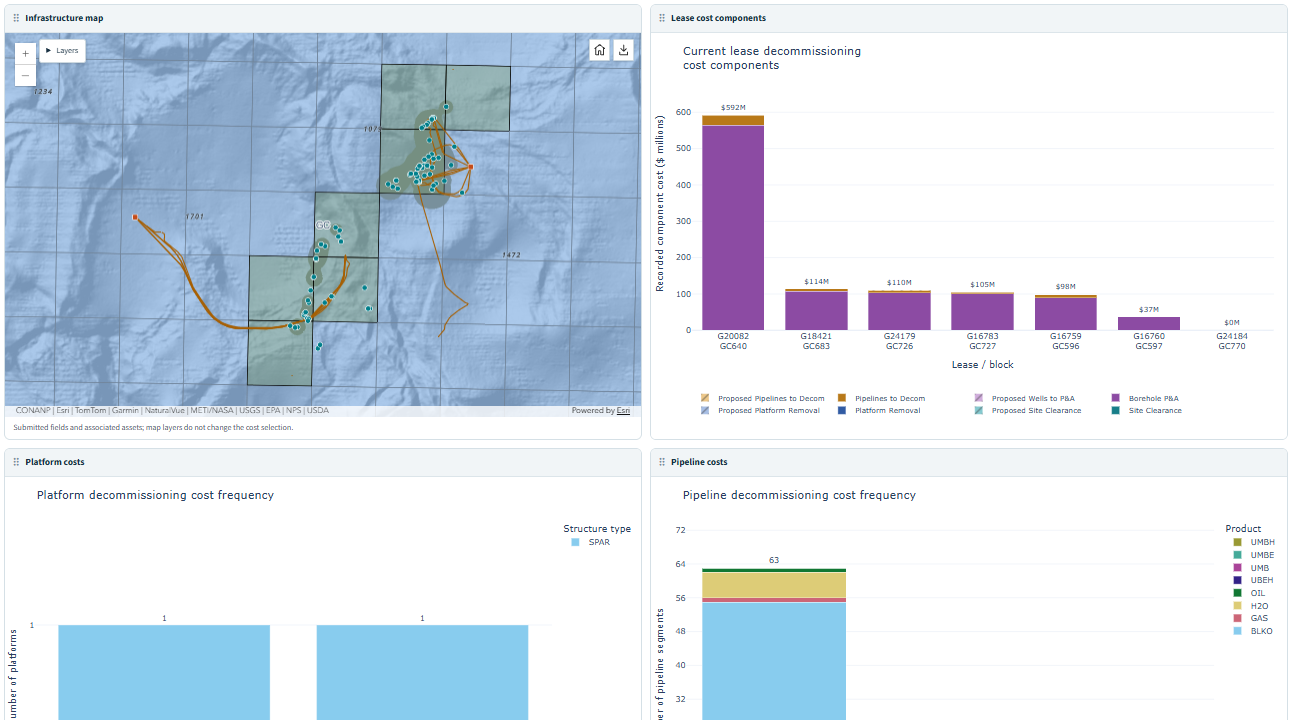 The Decommissioning dashboard combines an infrastructure map with estimated cost components. Click the image for a larger view.
For example, you might start by comparing a field's development history with similar fields, then look at its estimated decommissioning costs. Or review one lease sale in detail before exploring how bidding has changed over several sales. Visit the Smart Profiler page for an overview and details on each dashboard.
The What's New page in GOMsmart makes it easier to see what has changed in the data since your last visit. Choose a dataset from the Tracked table list, then select a time range of the last 1, 7, 15, 30 or 45 days. For tracked changes, you can show all changes or narrow the results to records that were Added, Changed or Deleted.
The dataset list includes options for wells, leases, fields, pipelines, platforms, sands, completions, paleo observations and well activity information. The APDs (New), Planned Sites (New) and Well Logs (New) options show recent records based on their received or added dates.
You can also define an area of interest. Click the select blocks of interest button, draw one or more rectangles on the map and click Save Blocks. With My saved blocks selected, the results are limited to those blocks. Switch to All blocks whenever you want to review activity across the Gulf.
For example, select wells, choose Changed and set the time range to the last 7 days to review recent changes in your saved blocks. The change results show old and new values along with the time the change was detected. You can search the filtered results for particular values or blocks and use Download CSV to save all matching rows for further review.
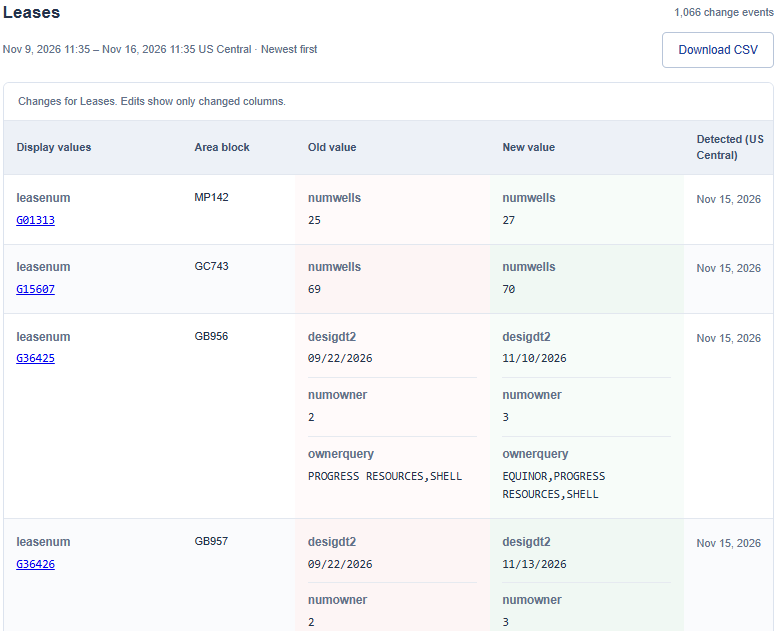 Lease changes between Nov. 9 and Nov. 16, 2026.